
How to Find Local Clients and Send Each One a Personal Email, Without Spending Your Day on It
Generic cold emails get ignored, and personal ones take ten minutes each to research. Here is how to find the local businesses you should be talking to, and have AI research and write each one a personal email you approve before it goes.
You are good at what you do. The people who book you tell their friends, and some weeks the calendar fills itself. Other weeks it doesn't, and you know exactly who you should be talking to: the venues, planners, schools, studios and local businesses that book people like you all year long. You just don't have the hours to find them, research them and write to each one properly.
So most people do one of two things. They send nothing, or they send the same email to everyone and hear nothing back. Both leave money on the table. This guide explains why personal outreach works when generic email fails, what the research behind a good cold email looks like, and how ClientBranch now does that research and writing for you, while you stay in control of every word.
Why generic cold emails get ignored
Everybody can tell a mass email within a line. It opens with a vague compliment, talks about the sender for three paragraphs, and could have been sent to any business in the country. People delete it without finishing it, and a few mark it as spam on the way, which makes your next email more likely to land there too.
The emails that get replies look completely different. They are short. They mention something true and specific about the business, like the new location they just opened or the event they ran last month. They make one clear offer that fits that business, and they ask one easy question. The reader can tell a person wrote it for them, because a person did the homework.
That homework is the whole problem. Doing it properly means visiting their website, reading their news, finding the right email address, checking it works, and then writing something that sounds like you. Call it ten minutes an email. Fifty emails is a full working day, which is why almost nobody does it.
What sales teams use, and what it costs them
Bigger companies solved this with a stack of tools. The best known is Clay, a research platform that pulls data about each prospect and uses AI to help write the message. It is powerful, and it starts at $185 a month. It also doesn't send a single email, so teams pair it with a separate sending tool, and then with a CRM to keep track of who replied. Three subscriptions, three logins, and a lot of setup before the first email goes out.
A solo business or a small team doesn't need an enterprise data platform. It needs the part that works: find the right local businesses, learn one real thing about each, write to them like a person, follow up politely, and keep every reply in one place.
Step one: find local businesses worth writing to
In ClientBranch, open Marketing, then Find Leads. Type the kind of business you want and the area, like wedding venues in Tampa or coworking spaces in Austin. Each search returns up to 20 businesses straight from Google's business listings, with their category, address, phone number and website, and you get 100 free searches every month.
While you look through them, ClientBranch visits each business's own website to find a contact email, then checks that the email's domain can really receive mail. Where it finds one, the row shows it. Where a site has no email, or the domain can't take mail, the row says so and you can't pick it by mistake. That one check saves you from the bounces that quietly damage your sending reputation.
Tick the businesses you want, or tick every business with a working email in one go, and save them to Contacts. They are saved under a tag named after your search, so you can find the batch later, and each record keeps the details from their Google listing.
Step two: let AI do the research for each one
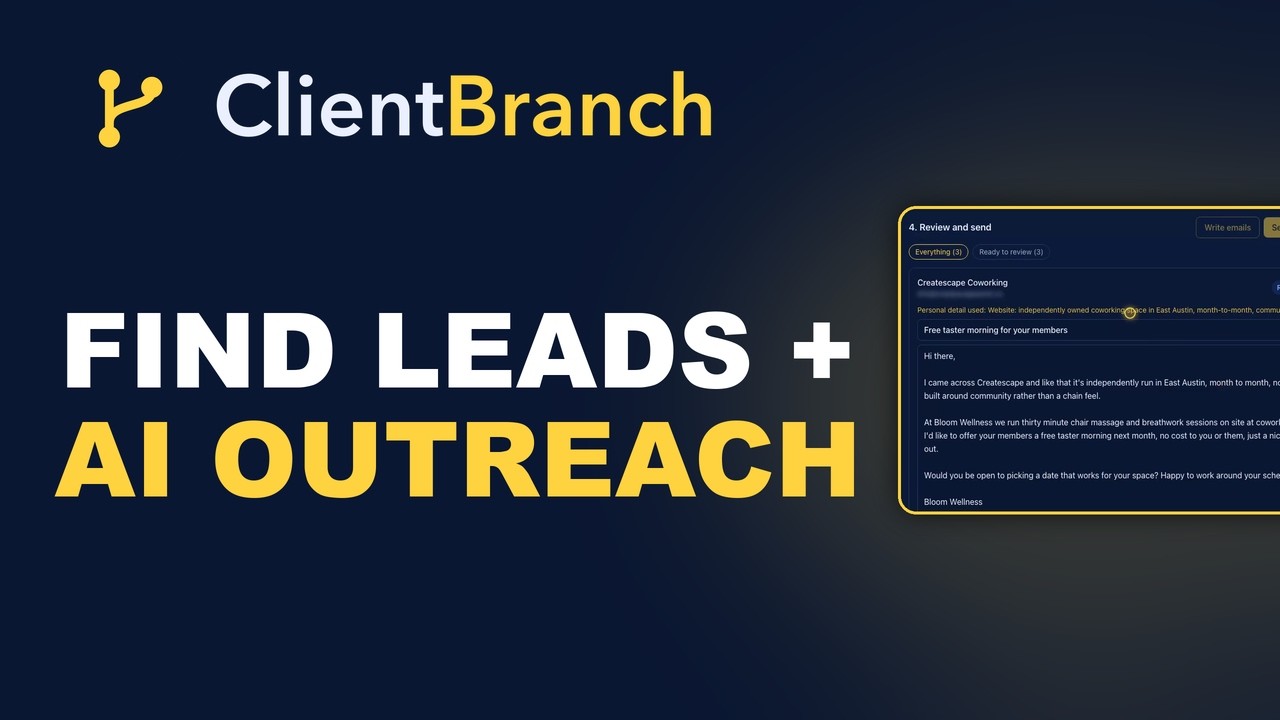
Right after saving, one click starts an AI Outreach to exactly those businesses. You write your message once: why you are writing and what you would like them to do. For example, a wellness business might offer coworking spaces a free taster morning for their members. The AI keeps your message and your offer, and makes the opening personal for each business.
To do that, it reads everything it is allowed to know about each one:
- The contact record, with their business, their name when you have it, and the category and website from their Google listing.
- Their own website, so it knows what they do and how they describe themselves.
- A web search for recent public news, if you switch it on. It only keeps facts it can tie to that business, and it shows the source. This is what lets an email mention a new location, an event they just ran, or something they announced last week.
- Anything you add yourself, like a link to a news story or a quick note.
It never invents a detail. When it finds nothing specific, the email opens with your reason for writing instead, and the card tells you so, so you can add a link or a note and rewrite it.
Step three: review every email before it goes
This is the part that makes it safe to use with your name on it. Every first email waits for you. Above each one you can see the personal detail the AI used to open it, and Show what the AI read lists every page and fact it was given, so you can check its work.
- Approve marks an email ready to send. Nothing goes out until you press Send approved.
- Edit the subject or the wording right on the card.
- Rewrite asks the AI to write it again, using any link or note you added underneath.
- Skip keeps someone off this outreach without deleting them, and Unskip brings them back.
Filters at the top show everything, or only the emails that are ready to review, approved or skipped, so you always know where a batch stands.
Why the follow-up matters more than the first email
Most replies do not come from the first email. People are busy, your email arrived on a bad day, and it slipped down the inbox. A short, friendly follow-up a few days later is often what gets the answer, and it is the step most people skip because it is awkward to track by hand.
In AI Outreach you add up to three follow-ups, for example after three days and again after five. Each one is written fresh for that person, lands in the same email thread, and stops the moment they reply, so nobody gets chased after they have already answered. You can review every follow-up before it goes, or let them send automatically.
Drip, don't blast
How you send matters as much as what you send. A hundred emails leaving in the same second looks like a blast to Gmail and Outlook. The same hundred emails going out one every two minutes looks like a person working through their inbox, which is exactly what it should look like.
AI Outreach sends at the pace you pick, one every two minutes by default, even with the page closed. Start with a handful of your best-fit businesses, see who replies, and send more from there. Small batches of personal emails beat one big blast every time, and they keep your replies at a pace you can answer well.
There is one guard rail. Emails to people who never signed up to hear from you must go from your own sending domain, so a bounce only ever touches your own reputation and never anyone else's. You can find and save leads straight away, and connect your domain in Settings, then Email domain, before you send.
Every reply lands in one inbox
Each email is sent as a one to one message from you, so when a business replies, the reply arrives in your ClientBranch Conversations inbox, in the same thread, next to their contact record. The outreach page shows how many businesses you emailed, who replied and your reply rate. From there it is your normal workflow: book the call, send the proposal, take the deposit.
AI Outreach writes with your own AI key, which you connect in Settings, then AI. You pay your AI provider directly, with no markup, and the web research uses the same key.
What it costs
Find Leads and AI Outreach are included in the ClientBranch Growth plan at $97 a month, alongside the CRM, the inbox, the booking calendar, the website builder and everything else you already run your business on. There is no per-lead fee and no separate sending tool to pay for. Compare that with a research tool starting at $185 a month that still needs a sending tool and a CRM on top.
The short version
Generic cold emails get ignored. Personal ones get replies, but the research behind them takes hours. Find Leads finds the local businesses you should be talking to and checks their email works. AI Outreach researches each one and writes it a personal email, you approve every word, follow-ups go out in the same thread until they reply, and everything sends slowly from your own domain. Watch the video above to see a real search and a real batch of emails, start to finish.
Try ClientBranch free for 15 days
Get booked, get paid, and keep clients coming back, all from one place. No card required, cancel anytime.
Start my 15-day free trial