
Get Paid Face to Face Without Carrying a Card Reader
The card reader is in the car, or it never got charged, or you never bought one. Here is how to take the money on the spot with nothing but the phone in your hand.
Someone has watched you all evening. They liked what they saw. Now they are standing in front of you at the end of the night saying the four words every small business wants to hear: "I'll take one."
And this is the part where a lot of sales quietly die. You pat your pockets. The card reader is in the car, or it never got charged, or it will not pair with your phone, or you never bought one because it seemed like a lot of hardware for the handful of times a month you sell something face to face. So you say the thing you have said before: "I can send you a link." They nod, they mean it, and about half of them never open the email.
You did the hard part already. You got someone to want the thing. Losing that at the final step, over a piece of plastic hardware, is the most expensive small problem in a face to face business.
The easiest sale you will ever make is the one already standing in front of you
There is no marketing left to do at that point. No follow up sequence, no ad, no cold outreach. The person is there, their wallet is out, and the only thing between you and the money is how quickly you can take it.
Compare that to the same sale over email. You send the link that night, they see it the next morning while the coffee is brewing, and the feeling that made them want it has cooled off. The t-shirt they wanted at 10pm is just a t-shirt at 8am. Add a payment page they have to open on a phone that has four other things happening on it, and you are asking a warm buyer to become a cold one and then convert anyway.
The fix is not a better follow up email. It is taking the money while they are still standing there.
Your phone is the card machine
Open Payments, then Sell in person in ClientBranch and your product catalog appears as big tap-to-add tiles. Tap the hoodie. Tap it again for the second one. Tap the book. Anything that is not in your catalog goes in as a custom amount, so a last minute price or a one off item never stops the sale.
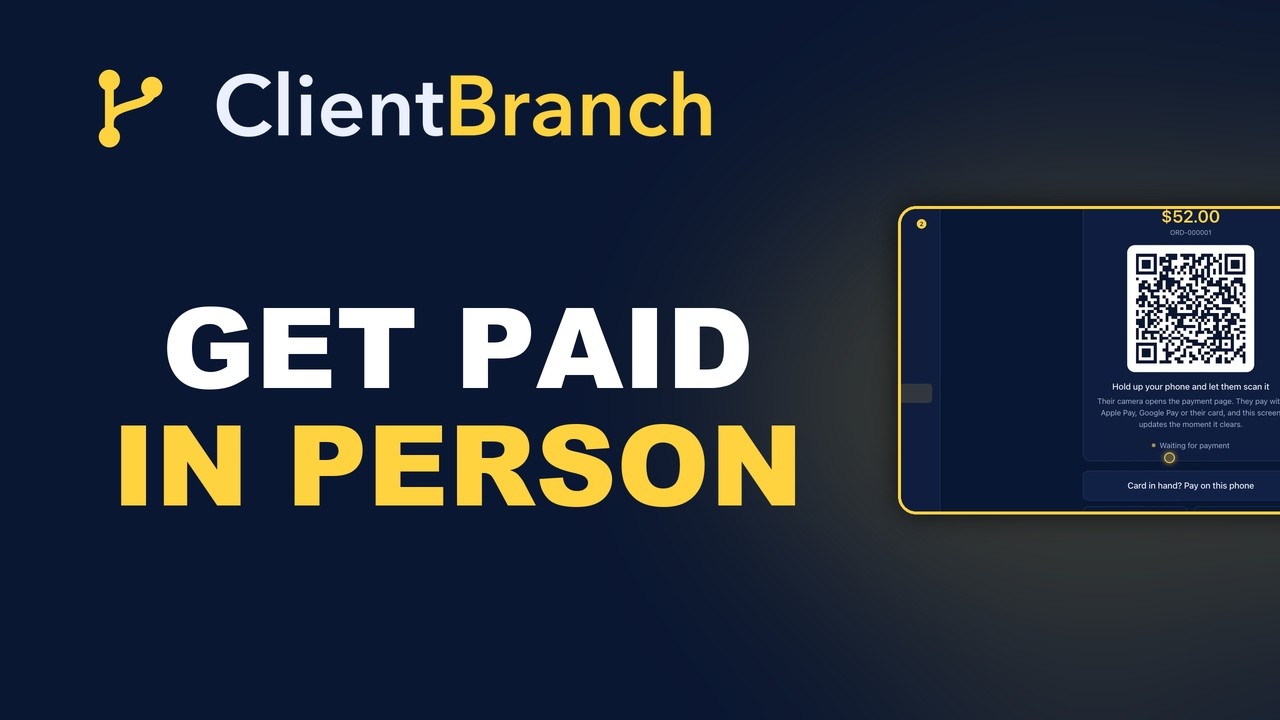
Press Take card payment and a QR code fills the screen. Hold your phone out. They point their camera at it, the checkout opens on their phone, and they pay with Apple Pay, Google Pay or their card. Your screen flips to Payment received the second it clears, so you both know it worked without anybody staring at a spinner. Press New sale and you are ready for the person behind them.
That is the whole thing. No reader to buy, no reader to charge, no reader to pair, no reader to leave at home.
Why the QR code is quicker than the machine you were going to buy
The interesting part is not that it saves you the cost of hardware, though it does. It is that handing the payment to their phone is genuinely faster than the traditional way.
With a card reader, the work happens on your device. You key in the amount, they wait, they dig out a card, they tap, sometimes it fails, sometimes it wants a PIN, and the queue watches. With the QR code, they are already holding the thing that pays. Their face unlocks it. Apple Pay and Google Pay are one press. Their card details are already saved. You never touch their card, which is faster and also removes the awkward moment where a stranger's payment card is in your hand.
And the line moves. At a merch table after a show, the difference between twenty seconds and sixty seconds per sale is the difference between serving everyone and watching the back of the queue drift toward the exit.
When they hand you a plastic card anyway
Some customers will not scan anything. Their phone is dead, or they simply do not do that, and they hold out a card instead.
On the QR screen there is a button for exactly this: They handed me the card, pay on this phone. The same checkout opens on your device, so you can key the number in yourself or hand them the phone and let them do it. It is the one moment where you are doing the typing, and it takes about as long as a card machine would have.
The point is that no version of the customer costs you the sale. Phone people scan. Card people get keyed in. Nobody gets told to wait for an email.
Cash still counts, and it still builds your list
Plenty of face to face money is still cash, and cash is where most systems give up. The note goes in the tin, nothing gets recorded, and at the end of the month your reports are quietly wrong.
Press Cash instead of taking a card and the sale records without charging anything, so your order history and your day's takings are complete. Cash sales work before Stripe is even connected, which means you can use this at your very next event without setting anything up first.
Here is the part that matters more than the bookkeeping. You are asked who the cash came from. Type their name and email and they get an emailed receipt, they are saved as a contact (or matched to one you already have), and your automations run exactly as they would for a card sale. A cash sale stops being a note in a tin and becomes a customer you can talk to again. If they have already walked off, press They didn't give details and the sale still lands against your takings.
What happens in the thirty seconds after they pay
This is the real difference between a payment app and a business system. A standalone card reader takes the money and stops. It does not know who bought, it will not tell your accounts, and it certainly will not ask for a review on Tuesday.
Every in person sale in ClientBranch behaves like any other order:
- It appears in Store, then Orders, tagged In person, so you can see at a glance what sold at the table versus what sold online.
- It lands in your Payments ledger with everything else you charge for, from bookings to invoices.
- The buyer is saved or matched as a contact, with the sale on their record.
- They get an emailed receipt without you doing anything.
- Any automation you have set on Sale made fires, so the thank you goes out and the review request follows a few days later.
- The money goes straight into your own Stripe account.
Line that up against the old way. You took cash at a show, wrote nothing down, and by Wednesday you could not name a single person who bought from you. Now the same evening produces a list of buyers, a set of receipts, a clean set of numbers, and a follow up you did not have to remember to send.
Set it up before the doors open
Three things, and only the first two take any effort.
Load your products. Under Payments, then Products, add what you sell with a clear name, a price and an image. The image is not decoration here. When you are working the screen in a dark room with a queue in front of you, you are recognizing pictures, not reading text.
Connect Stripe. Under Settings, then Payments, connect or create your Stripe account and finish its onboarding so it can accept charges. Card sales need this. Cash sales do not.
Add it to your home screen. Open Sell in person on your phone and save it to the home screen, so on the night it is one tap and not a hunt through a menu.
If somebody walks away mid payment, press Cancel sale and the code stops working immediately, so nobody wanders back later and pays for something they never took.
Where this earns its keep
Merch tables at shows and events. Market stalls and pop ups. A studio where someone finishes a session and wants to take a product home. Fairs, festivals, workshops, school events, anywhere a customer is physically present and briefly enthusiastic.
The common thread is that these are all moments where the buying decision has already happened and the only risk left is friction. A phone you are already holding removes it.
Try it at your next one
You do not need to buy anything to test this. Load two or three products, take one cash sale at your next event, and watch it appear in your orders with the receipt sent and the contact saved. Then connect Stripe and do the same with a card.
The video at the top of this post walks through the whole thing on a real phone, including the QR screen, the keyed card fallback, canceling a sale, and where every sale ends up afterward.
Start your free trial of ClientBranch and stop saying "I can send you a link."
Try ClientBranch free for 15 days
Get booked, get paid, and keep clients coming back, all from one place. No card required, cancel anytime.
Start my 15-day free trial