
Run a Private, Paid Community for Your Clients (and Get Them Off Facebook)
Give your clients a members-only space to ask questions, share wins and post videos for feedback, charge a monthly fee straight to your own Stripe account, and run the whole thing from the same place as your courses.
Most coaches, trainers, therapists and performers end up running a community whether they meant to or not. It starts as a Facebook group for past clients. Then it becomes the place people ask questions between sessions, share what they are working on, and cheer each other on. Before long it is one of the most valuable things you offer, and it lives on a platform you do not control, mixed in with ads, algorithms and spam.
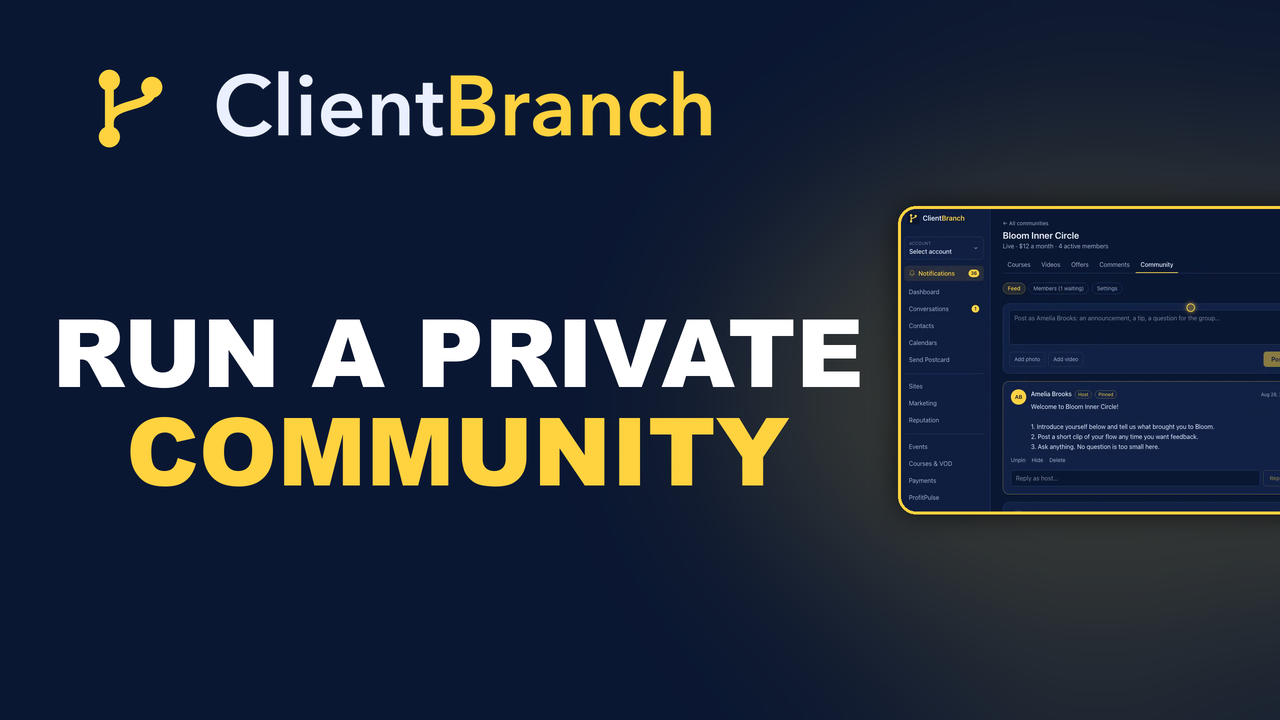
ClientBranch now has a Community feature built for exactly this. You get a private, members-only feed for your clients, you choose whether it is free or a monthly subscription, and the money goes straight to your own Stripe account. Members sign in with the same login they use for your courses, so everything they buy from you sits in one place.
This post walks through why a private community is worth running, what your members get, how to set one up in a few minutes, and how to run it week to week without it eating your time.
Why a private community beats a free group
A free group on a social network feels like a community, but you are borrowing it. The platform decides who sees each post. A thoughtful question from a member can sit buried under a meme for days, and your announcement reaches a fraction of the people who joined. Accounts get locked, groups get flagged, and spammers find their way in no matter how carefully you vet.
A private community flips all of that. Every post reaches every member, in the order it was written. There are no ads in the feed, no suggested content pulling people away, and nobody gets in without joining through you. What members share stays inside the group, which matters a great deal when people are posting about their progress, their struggles or their work.
It also changes how people behave. When members have chosen to be there, and especially when they pay a small monthly fee to be there, the conversation gets more serious. People post more thoughtfully, answer each other properly, and show up consistently. A small, committed group is worth far more than a big, quiet one.
What your members get
Inside a ClientBranch community, members can:
- Post questions, wins and updates to the whole group in a simple feed.
- Add a photo or a video straight from their phone or computer. A trainer's client can post a clip of their form, a performer can post a section of their show, a student can post their practice setup.
- Comment on each other's posts and get answers from you, badged as the host so your replies stand out.
- Get an email whenever somebody comments on their post, with a link straight back to the conversation.
- Manage their own membership. If they cancel, they keep access until the end of the month they have already paid for.
The feedback loop is the real value. A member posts a two minute video, you and a few others reply with specific notes, and they improve faster than they ever could on their own. That is the kind of result people happily pay for every month.
Free or paid: choosing your price
You can run a community for free, as a bonus for course buyers or past clients, or charge a monthly subscription. Both work, and you can change your mind later.
A free community is a great retention tool. It keeps past clients close, gives them a reason to come back, and makes the next sale easy because they already know and trust you.
A paid community turns that same trust into recurring income. Even a modest price adds up. Fifty members at twelve dollars a month is six hundred dollars every month, for a space you would probably be running anyway. Members are billed monthly through your own connected Stripe account, so there is no middleman taking a cut of each payment, and the subscription renews on its own until they cancel.
If you change the price later, new members pay the new price. People already subscribed keep the price they joined at, which is fair to your earliest supporters.
Setting up your community
Community is included on the Studio plan at $59 a month and on Growth, so you do not need the full courses plan to run one. It lives under Courses and VOD, on the Community tab. Setting one up takes a few minutes:
- Type a name and press Create.
- On Settings, add a one line description and the paragraph people read before they join. Say plainly what members get.
- Add your name as host. Everything you post and reply goes out under it.
- Choose Monthly subscription and set the price, or choose Free.
- Optionally tick Approve new members by hand if you want to vet people before they get in.
- Optionally add a tag, so every new member carries it on their contact record.
- Press Save and publish, then use Copy link to share the join page.
That link is the front door. It shows your description and price, and a simple form where people enter their name and email. Paid members go to Stripe to pay. A new member then lands straight back inside the community, already signed in, with a button to set their password. They also get a welcome email with the link and their password link, so nobody is ever stuck.
Running it week to week
Everything you need to run the community sits in three tabs.
Feed
The Feed tab shows every post and comment, including anything you have hidden. Post as the host to share announcements, tips or a question for the group, with a photo or video if you like. Reply to any post right where it sits. Pin to top keeps an important post above everything else, which is perfect for a welcome post that tells new members what to do first. Hide takes a post out of sight without deleting it, and Delete removes it for good.
You get a notification in ClientBranch whenever a member posts or comments, so you never have to keep checking.
Members
The Members tab lists everyone who has joined, their status, and the date they have paid up to. If you approve members by hand, the people waiting appear here with Approve and Decline buttons. Remove takes someone out of the community and stops their paid subscription straight away, so nobody is billed for a space they can no longer open.
You can also add a member without payment. Enter a name and email for a team member, a mentee or a guest, and they get a welcome email with a link to set their password.
Settings
Change the wording, price or address any time, or Unpublish to close the doors while you get things ready.
Turn new members into a welcome series
The member tag is where a community connects to the rest of ClientBranch. Set a tag like Inner Circle on your community, then build an automation with the trigger A tag is added and that tag. Every new member, however they joined, starts the series the moment they get in.
A simple series works well: a personal welcome on day one, a nudge on day three to introduce themselves and post their first question, and a check in after two weeks asking how they are finding it. Members who engage early stay longer, and those few emails do the encouraging for you.
The tag also gives you a live list of every member under Contacts, so you can text or email the whole group, or invite your members to a workshop or a new course first.
Courses and community, together
Because members sign in with the same student login as your courses, the community sits right next to anything else they have bought from you. Someone who takes your course can join the community to ask questions as they work through it, and someone who joins the community for the conversation is one click away from your courses.
That pairing is powerful. The course gives people the method. The community gives them support, accountability and feedback while they put it into practice. Together they produce the results that keep people paying, and that turn members into the testimonials that bring in the next ones.
Ideas for what to post
An empty feed is the fastest way to lose members, so it helps to have a rhythm. A few ideas that work across almost any business:
- A weekly question that invites everyone to share where they are up to.
- A short video tip from you, two minutes or less, on something members keep asking about.
- Member spotlights, celebrating a win somebody posted.
- Feedback Fridays, where members post a clip of their work and you reply to each one.
- First look announcements of new courses, workshops or dates, before anyone else hears.
You do not need to post every day. A steady weekly rhythm, plus quick replies when members post, is plenty to keep a community alive.
Get started
If you already run a group somewhere else, moving it into ClientBranch gives your members a cleaner, private space and gives you a way to be paid for the value you already provide. If you have never run one, it is one of the simplest ways to add recurring income to a service business.
For comparison, Skool, the community app many coaches use, is $99 a month on its Pro plan, or $9 a month plus 10% of every payment on its Hobby plan, and that buys the community alone. On ClientBranch Studio, the community comes with your CRM, booking, store, events and video on demand for $59 a month, and members pay you through your own Stripe account with no platform fee on top.
Open Courses and VOD, choose Community, and create your first one today.
Try ClientBranch free for 15 days
Get booked, get paid, and keep clients coming back, all from one place. No card required, cancel anytime.
Start my 15-day free trial