
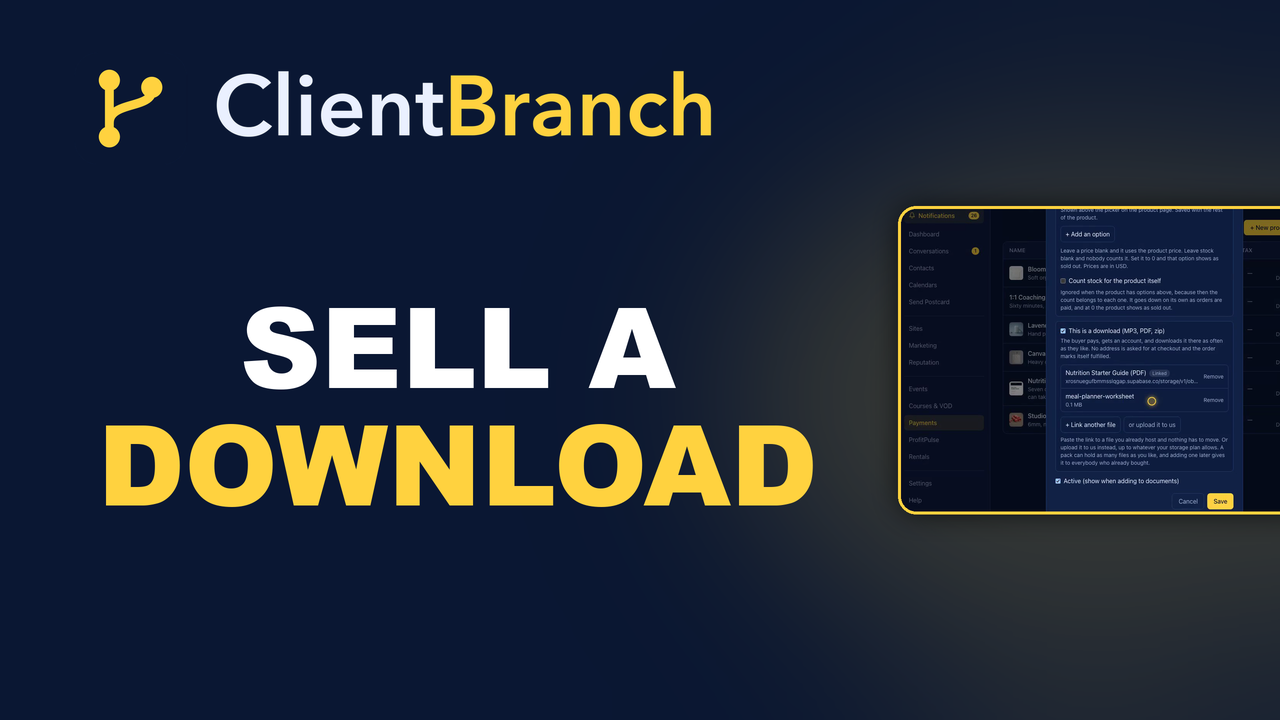
You Should Not Be Emailing Files to People Who Paid You
Selling a PDF, an MP3 or a template pack should not involve you, an attachment and a Tuesday evening. Here is how a download works in ClientBranch, and what happens after the sale.
Somebody buys your guide at eleven at night. What happens next?
For a lot of people the honest answer is: nothing, until the morning. Then you find the order, find the file, write the email, attach it, send it, and hope it does not bounce because the attachment is forty megabytes. Six months later the same person messages you, on a new phone, asking if you can send it again.
None of that should be your job. In ClientBranch a download is an ordinary product with one tick box, and after the sale there is nothing left for you to do at all.
What makes something a download
Open any product under Payments, then Products, and tick This is a download. That is the feature. There is no separate delivery tool to configure, no license key system, no third party sitting in the middle taking a cut, and nothing to reconcile at the end of the month.
Everything else about the product stays exactly as it was. It still has a name, a price, a picture and a description. It still goes in your shop, still works with coupons, still appears in your reports.
The one thing that trips people up
Files attach to a saved product, not to a new one. So the order is: tick the box, save it, then go back in and the file section is waiting for you.
It reads like a quirk and it is not. The file has to belong to something before it can be attached to it, and doing it this way means an upload can never be orphaned by somebody closing the window before they save.
Link it, or upload it
Two ways to get the file in, and they suit different situations.
Link a file you already host. Nothing is copied and nothing has to move. If your catalog already lives on Dropbox, S3, Droplr or your own website, paste the direct link and you are finished. The buyer still signs in, and we still check they paid before sending them on.
One thing to know: a linked file is only as private as the link itself. Anybody the buyer forwards it to can open it.
Upload it to us instead. The file goes into private storage, and every single download is a fresh link that expires within minutes. It cannot be shared and it cannot be guessed at. The upload runs straight from the browser into storage rather than through the app, which is what stops a long audio file failing halfway.
You can swap a linked file for an uploaded one later and the buyer never notices. What they see does not change.
A pack is one product, not twenty
A product holds as many files as you like. Twenty tracks is one product with twenty files, priced once, bought once, listed once. You are not building twenty product pages and hoping somebody buys the set.
What the buyer gets
This is the half you never see, and it is the half that decides whether they buy from you again.
- No address form at checkout. Nothing is being posted, so nothing is asked for. Fewer fields is fewer abandoned carts.
- The order marks itself fulfilled the moment it is paid, so it never sits in your list looking like something you owe somebody.
- One email. The first time, it sets them up with an account. If they have bought from you before, it points straight at their downloads.
- They download it as many times as they like, on as many devices as they like, for as long as they like.
- One account per customer, whatever they buy from you. Downloads, courses and videos all sit in the same place.
The re-send email you will never get again
Two years later, on a new phone, they sign in and the file is still there.
That sounds small. It is not. Every person selling files by hand has a folder of these requests, and each one costs a few minutes plus the mild embarrassment of asking somebody which email address they used. Multiply that across a few hundred customers and a few years.
The support ticket does not get faster. It stops existing.
Add a file later and everybody gets it
Access points at the product, not at a snapshot of what the product was on the day somebody bought it.
So add a track to a pack six months from now and everybody who already bought it gets the new track too. Nothing to send. Nobody to chase. No list of past buyers to assemble and mail.
That is worth saying out loud on your own sales page, because it is a genuine reason for somebody to buy today rather than wait to see what the next version looks like. Buying early stops being the worse deal.
A download, or a course?
Use a download for something somebody takes away and keeps: an audio track, a PDF, a template pack, a zip.
If it is a course with lessons somebody works through, or a video they stream, rent or own, use the Courses module instead. That gives you a player, progress tracking, drip scheduling, certificates and rentals, none of which a plain file needs and all of which would be clutter around a PDF.
Buyers use the same login for both, so nobody ends up with two accounts and two passwords for the same business.
Mixed carts work
Somebody buying a download and a t-shirt together is fine. The address is collected, because the shirt has to go in the post. The download is available immediately. The order waits on you for the physical half only.
What this is really for
Selling a file is not a hard problem. Selling a file and then being finished is the hard part, and it is the part most setups get wrong, because delivery quietly becomes a job you do forever in the evenings.
One tick box, one file, and nothing to do after the sale. It is on every ClientBranch account under Payments, then Products.
Try ClientBranch free for 15 days
Get booked, get paid, and keep clients coming back, all from one place. No card required, cancel anytime.
Start my 15-day free trial