

How to Sell Your Show Video to the Audience Before They Leave the Building
A complete guide for hypnotists, magicians and every act that brings volunteers on stage: sell the recording at the table, capture every buyer as a contact, deliver the video the next morning, then keep selling it online for years.
The applause is still going. Your volunteers are walking back to their seats, and their friends are already asking each other if anybody got the bit where Dave thought he was a chicken. Nobody did. The phones went away before the show started, because you asked, and the only recording of that moment is yours.
Every one of those people would pay for it. The proper recording, with sound off your board and a camera that was pointed at the stage the whole time. And the best time to sell it to them is not next week, in an email they might open. It is right now, while they are still laughing, standing ten feet from your table.
This guide is for hypnotists, magicians, mentalists, comedians who work the crowd, and anybody else whose show is built on people from the audience. It walks through the whole thing from start to finish: why the audience wants the video, how to take the money at the table in seconds, how every sale turns into a contact you can market to, how to deliver the video to exactly the people who paid, and how to keep selling that same recording for years afterward.
Heads up: We use ClientBranch to create and deliver every sale, before, during and after the show, so that's what this guide shows. You can use any platform you like, as long as the right tools are in place: a way to take payments at the table, a contact list that tags every buyer, private video delivery, and email to follow up.
Want this whole guide as a PDF to keep by the merch table? Get Curtain Call Cash: Turn your standing ovation into your biggest sale of the night. It includes stage pitch scripts, a table sign, email templates and a one page checklist. Get the guide here.
Prefer to watch it done? Curtain Call Cash: The Video Course follows this guide chapter by chapter. Hear the stage pitch performed at real shows, watch a real sale taken at the table on a phone, and see the edit done so the video goes out by morning.
Why the audience wants a copy of the show
It is worth understanding this properly, because once you see it from their side, selling the video stops feeling like a pitch and starts feeling like a favor.
The volunteer who cannot remember what they did
For a hypnotist this is the whole story. Your volunteers were on stage for forty minutes and they remember fragments. Their friends spent the entire show crying with laughter at something they have no memory of doing. The video is the only way they will ever see it. That is not a souvenir, it is the missing piece of their own night.
A magician's volunteer is in the same spot from a different angle. They were the one holding the card. They could not see what the audience saw, and they want to watch their own face at the moment of the reveal.
The friends and family who were in the seats
A birthday, a bachelorette party, a graduation night, a company party, a cruise with the whole family. People come in groups, and when one of their group goes up on stage, the whole table is invested. The video is how they relive it together, share it in the group chat, and show everybody who was not there.
The people who were not there at all
Grandparents across the country. The coworker who had to leave early. The best friend who missed the bachelorette weekend. Every volunteer has a list of people they are going to tell about tonight, and "you had to be there" is a terrible ending to that story. The video is a much better one.
The only copy that exists
With phones off or silenced and filming not allowed, there are no clips going around the group chat tonight. Your recording is the only one, and even if somebody had filmed, a phone in row twelve catches a shaky, dark picture full of the back of somebody's head and none of the sound. Yours has proper audio, a steady shot and the whole routine from the start. It is the difference between a rumor and the evidence.
A keepsake that becomes a gift
Parents buy the graduation night show for their kids. Brides buy the bachelorette show for the whole party. A husband buys the video of his wife on stage because he knows she will want it in ten years. People spend money on memories far more easily than on things, and this is a memory with their name on it.
Why it is one of the best things you can sell
From your side, the show video is close to a perfect product.
- It costs you nothing per copy. Record once, sell as many times as people will buy it.
- The buyers are pre sold. They just spent an hour or two laughing. Nobody at your table needs convincing that the show was good.
- It builds your list. Every buyer leaves you a name and an email, which is the most valuable thing anyone in that room can give you.
- It markets your next show. Every video shared in a group chat is an ad for you, sent by somebody the viewer trusts.
- It keeps selling. The same recording can be rented and bought online for years by people who were never in the room.
The only thing that ever stopped performers from doing this well was the mechanics. Taking cards at a crowded table, writing email addresses on a clipboard, typing them into something later, and then sending a file by hand to forty people, one at a time. That is where we come in.
Before the show: fifteen minutes of setup, once
Everything below lives in ClientBranch. You set it up once, and after that each show only needs a new product and a date.
1. Record the show properly
You do not need a film crew. A camera on a tripod at the back of the room with a wide shot of the stage, and an audio feed from the sound board into the camera or a small recorder, is enough for a product people are delighted with. Sound matters more than picture. A slightly soft image with clean audio sells. A sharp image where nobody can hear the volunteers does not.
Choosing the gear? The Curtain Call Cash guide has a full chapter on it: three setups from a pocket camera on a microSD card, to a video camera recording straight to an SSD, to a multi camera switcher, plus the microphones and the sound desk feed that make a show video worth buying. Get the guide for all the details.
2. Play a pre recorded announcement: no filming, phones off or silenced
Just before you walk on, play a short pre recorded announcement over the sound system. It does three jobs at once. It tells the audience tonight's show is being professionally recorded, so filming and photos are not allowed. It tells them the full video will be available to buy straight after the show. And it asks them to turn their phones off, or at least silence them.
You cannot force anybody to switch a phone off, so ask for off or silenced and let the no filming line do the heavy lifting. A ringtone in the middle of a routine is the thing you are really preventing. For a hypnotist, a sound at the wrong moment can break a volunteer's concentration. For a magician, a phone going off in row three pulls every eye away from your hands. And a room that has been told the show is being professionally recorded, and that the video is on sale afterwards, has far less reason to film it themselves, which is exactly why your video is worth buying.
Recorded, it sounds official and it is word for word the same every night, instead of you nagging from the stage before the show has even started. End it with the line that sets up your sale: the full show will be on video to buy straight afterwards.
3. Say it from the stage
Consent is built into the show: people choose to come, and volunteers choose to come up on stage. Say it from the stage anyway, before you ask for volunteers: tonight's show is being recorded and the video will be on sale afterward. Everybody then decides for themselves whether they want to be in the show. Check your venue contract too, because some venues have their own rules about recording. It takes ten seconds, and everybody on that video knew it was being made.
4. Create tonight's video as a product
Go to Payments, then Products, and add a new product. Call it something the buyer recognizes, like "Tonight's Show Video, Myrtle Beach, September 20." Give it a price and a picture (a still from a previous show works well).
Two settings matter here:
- Show in Sell in person must be checked, so it appears in the ClientBranch app. Products start with it on.
- Tag buyers with is the important one. Put a tag with the date in it, like Show Video 9-20. Every person who buys this product, by card, by QR code or in cash, gets that tag on their contact record automatically. That tag is how you will find exactly who paid when the video is ready.
Use a new product with a new date tag for each show. It keeps every night's buyers separate, so you never send Saturday's video to Friday's audience.

Watch: one product list that sells everywhere
5. Set up an instant thank you
Every sale runs your Sale made automations, and the product's tag can start an automation of its own. Use that to send an email the moment somebody pays: thank them, tell them the video arrives within a day or two, and tell them to look out for an email with their login. People who pay at a busy table and then hear nothing start to worry. People who get a thank you before they reach the parking lot do not.

Watch: automations that follow up for you
6. Put the ClientBranch app on your home screen
Open Payments, then Sell in person, on your phone and add it to your home screen. It is now one tap away, exactly like an app, and it is ready the moment you walk off stage.
From the stage: how to announce it
Most of your video sales are decided before anybody reaches the table. The pitch does not need to be long. It needs to be clear, specific and a little bit funny.
Do it near the end of the show, while your volunteers are still on stage or have just sat down, so everybody can picture exactly what they are buying. Something like this:
"Tonight's show was filmed, start to finish, with proper sound. If you were up here and you would like to see what you got up to, or you want the evidence of what your friend did, the video is at the table by the door. It takes ten seconds, you pay on your own phone, and it lands in your inbox in the next day or two. Volunteers, trust me, you want to see this."
A magician can make the same point from a different angle: "You saw it from out there. Want to see it from where they were standing?"
Then say it once more on your way off. The people who were thinking about it need a second nudge, and the people who were not paying attention the first time need to hear it at all.
At the table: taking the money in seconds
This is the part that used to fall apart. A crowd of excited people, one card reader, a clipboard, a pen that does not work, and a line that makes the people at the back give up and go home.
ClientBranch's Sell in person turns your phone into everything you need to take the money. The video below walks through it on screen, and here is how it runs at a real merch table.

Watch: sell in person: take payments without the line
QR code on their phone (the fast one)
- Tap Show Video in the ClientBranch app. Tap it again for a second copy, or add a t-shirt to the same sale.
- Press Take card payment. A big QR code fills your screen.
- Hold the phone out. They scan it with their camera and pay on their own phone with Apple Pay, Google Pay or a card.
- Your screen flips to Payment received the second it clears.
They type their own email on their own phone, which means you are not squinting at spelling in a loud room. That email becomes their contact record.
Serve the next person while the last one is still paying
This is the difference between a line and no line. As soon as somebody has scanned, press Serve the next customer. Their sale parks as a little chip across the top of your screen, with a pulsing dot while it waits. You ring up the next person. The moment the first payment clears, their chip turns green with a check mark. Payment is confirmed by Stripe, not by what is on your screen, so nothing is lost while you are busy.
Card in hand
Some people want to hand you a card. On the QR screen press Card in hand? Pay on this phone, and a card checkout opens on your phone. Type the card yourself, or hand them the phone to do it.
Cash
Press Cash and the sale is recorded without charging anything, so your takings for the night are complete. You are asked who the cash came from. Type their name and email and they get a receipt, they are saved as a contact, they get tonight's tag, and your automations run, exactly like a card sale.
Fill in the optional Phone field too. An email typed wrong at a busy table is a customer who paid for a video you now cannot deliver. A phone number on the record is your way back to them.
Comp the people you want to thank
Want to give the star volunteer their video for free? Press Comp. It takes their name and email in the same way, records what they were given, tags them and runs your automations. It never counts toward your takings, but it means your star volunteer lands on your list and gets their video with everybody else, instead of being a face you vaguely remember.
Every sale is a new contact you own
This is the part most performers miss, and it is worth more than the video itself.
Every sale, whether it came by QR code, card in hand, cash or a comp, creates (or matches) a contact in your CRM with their name, their email, and their phone if you took it. Each one carries tonight's tag. The payment shows against their record. Nothing was written on a clipboard and nothing needs typing in later.
Now look at what that list is. These are people who came to your show, loved it enough to spend money on the way out, and gave you permission to email them. When you are back in that town next spring, they are the first people who should hear about it. When a volunteer's company needs entertainment for the holiday party, you are already in their inbox.

Watch: turn your contact list into an audience
Your buyer list for the night
Go to Payments, then Reports, and pick tonight's product. You get everyone who bought it: name, email, what they paid, and whether it was card, cash or a comp, grouped by month with totals. Download CSV gives you the spreadsheet. Turn the link on gives you a live web page of the list that updates itself, which is handy when a producer or venue wants to see the numbers without logging into anything.
After the show: upload the video
Edit the recording however you like first. Trim the pre show, add a title card, cut anything a volunteer asked you to cut. Then bring it into ClientBranch.
- Go to Courses & VOD, then Videos, then New video, and name it after the show.
- On the Video & extras tab, choose how to get the file in. Upload a file sends it from your computer. Fetch from a URL takes a direct link to a file you already have online (Dropbox, for example) and collects it server to server, which turns an overnight upload into a few minutes.
- Add a poster image, and a short trailer if you have one. A public YouTube clip of the best two minutes is ideal.
If the show recording is several gigabytes, Fetch from a URL is the one to use. It runs between data centers rather than up your home connection, and it means you can start it from a hotel room and go to bed.
Delivering the video to the people who paid
Now you connect the two halves: the list of buyers and the video they bought.
- Open Payments, then Reports, and pick tonight's product. That is your delivery list.
- Go to Courses & VOD, then Videos, then Customers, and press Grant access.
- Type the buyer's email and name, pick tonight's video, leave the access period on lifetime and leave the email switched on.
- Press grant. Repeat for the next name on the list.
Each buyer gets an email with a link to set a password, and the video is waiting in their account. It is private: only people you granted access can watch it, and it plays on any phone, tablet or computer. Two years from now, when they want to show it at a wedding, they sign in and it is still there. Nobody emails you asking for a resend.
Because it is the same login they would use for anything else they buy from you, a volunteer who later buys your sleep audio or next year's show ends up with everything in one place, under one account.
Keep the promise you made at the table
If you said "in the next day or two," deliver it in the next day or two. The morning after the show is ideal, while the night is still being talked about in the group chat. A video that arrives a day later gets shared. A video that arrives three weeks later gets a refund request.
Sell the same video again, online, for years
The table sale is the first wave. The bigger opportunity is everyone who was not in the room: the grandparents, the friends back home, the person who saw a clip on Facebook and wants the whole thing, and fans who collect your shows.
The video you just uploaded can be sold to all of them, with its own page, without uploading it twice.

Watch: sell or rent your videos on demand from your own site
Rent it, own it, or both
On the video's Pricing tab there are two switches.
- Rent takes a price and a window from 24 hours to 30 days, counted from the moment they pay. Access stops on its own when it runs out. Perfect for the curious viewer who wants to watch it once.
- Own it is paid once and watchable forever. For a show sold to the audience who were in it, check Let buyers download the file as well, so owners can keep their own copy.
Turn both on and the page shows Rent and Buy side by side. There is one page and one link either way, and the buyer chooses on it. Everyone who rents or buys is tagged on their contact record, so online buyers join your list exactly the way table buyers do.
A page that looks like a movie, not a download link
The Sales page tab gives the video a cinematic page with a poster, a wide backdrop, credits and your description. It carries video structured data, so search engines understand it is a video with a runtime and a price. Turn on comments and only people who bought it can post, so the page fills up with "I cannot believe that was my mom" from real buyers, which is the best ad you will ever have.
Libraries: every show at one venue, or every show this year
Group videos into a library and sell the whole set. Performers usually build one per venue they return to, one per year, and one for a type of show. A video can sit in more than one library at once. Somebody who buys a library also gets anything you add to it later, which makes an annual library a genuine subscription without any subscription billing.
Your own channel
Claim a Channel handle and every video lives under your name, at an address like /watch/yourname/the-show. Every share and every sale then points at the same place, which is how a catalog of shows builds search authority over time instead of scattering links across the internet.
Check the music before you sell it online
A show video with copyrighted songs in it needs licenses to be sold, even if you only use part of a track and talk over it, and a trailer with a hit song under it will be claimed or blocked on YouTube. The guide has a full chapter on music rights, YouTube claims and copyright strikes, and how AI generated music solves most of it. Get the guide.
Catch the people who did not buy at the table
Not everybody buys on the night. Some want to check with their partner, some ran out of battery, some just left in a hurry. Put a QR code on a small card at the table, and on the screen at the end of the show, that goes straight to the video's online page. ClientBranch makes those QR codes for you, and each one keeps a count of how many people scanned it.

Watch: QR codes that track every scan
Sell downloads alongside the video
A download is any file somebody buys and keeps: an MP3, a PDF, a zip. In ClientBranch it is an ordinary product with one checkbox, This is a download, and a file attached. The buyer pays, gets an account, and downloads it as often as they like, forever. You never email a file to anybody again.

Watch: sell a download with one checkbox
For a performer, the obvious downloads are:
- Hypnotists: a sleep, confidence or stop smoking audio session. Your show just demonstrated what hypnosis can do, and a good number of people in that room are now wondering what it could do for them.
- Magicians: a PDF teaching a simple trick for the kids, or a video lesson pack. The family that loved the show will happily buy the thing that lets them perform for grandma.
- Everyone: a photo pack from the night as a zip, or the audio only version of the show for the drive home.
Add a file to a pack six months later and everybody who already bought it gets the new file too, with nothing to send.
Put everything in your own store
Your online store sells everything in your product list from one shop page, with a page per product that search engines can find. The show video, the downloads, signed posters, t-shirts with sizes and stock counts, books, gift cards for next season. Shoppers browse, add to a cart and pay by card, and every buyer is added to your CRM.
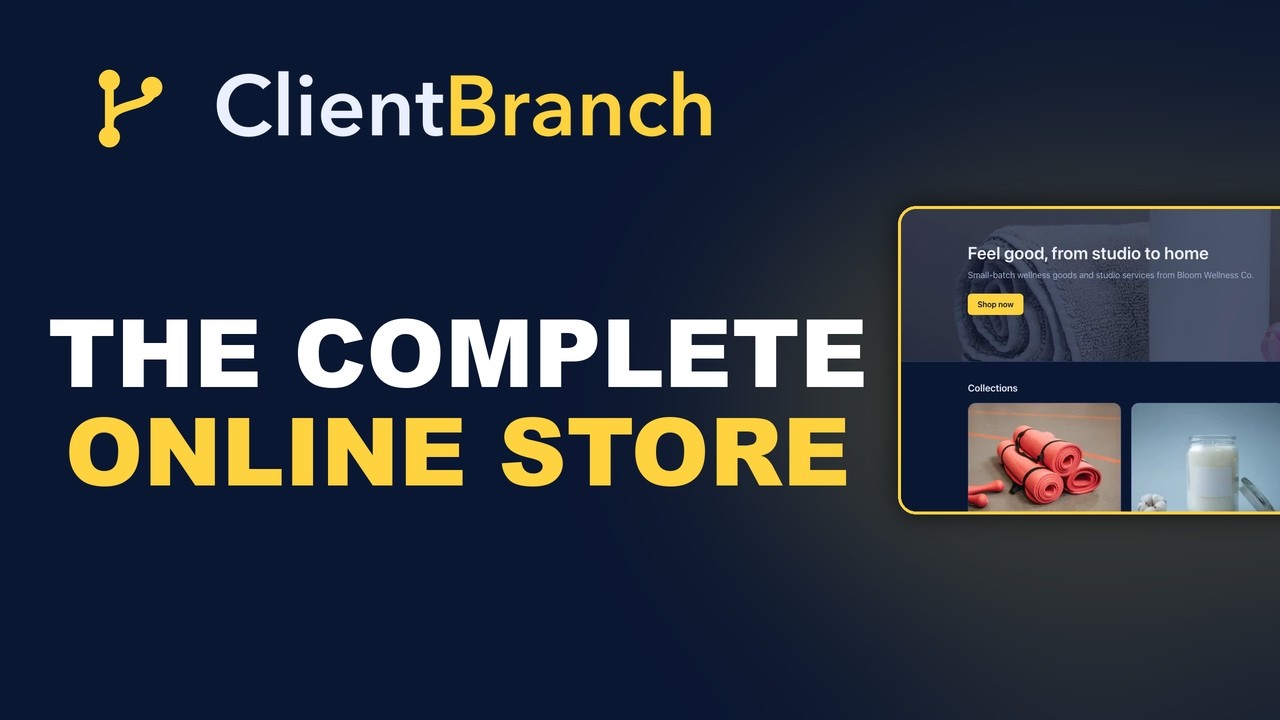
Watch: build an online store that Google can find
The ClientBranch app and the store use the same product list. Anything with Show in Sell in person checked appears at the merch table, and anything with Show in my online store checked appears online. A t-shirt can be both. So the table and the website are two doors into the same shop, and every sale through either door lands in the same contact list.
Mixed carts work too. A download and a t-shirt in the same order is fine: the address is collected for the shirt, and the download is available straight away.
Keep marketing to everyone who bought
By now every buyer, at the table or online, is a contact with a tag telling you exactly what they bought and when. Use it.
- Back in town. Email everyone tagged with that venue's show before you announce publicly. Past buyers make the best first wave of ticket sales.
- New video out. When next season's show goes up, tell everyone who bought the last one.
- Reviews. A happy video buyer is a happy reviewer. The next section shows how to ask every one of them, automatically.
- Private bookings. Somebody who bought the video of their friend's bachelorette is the person planning the next one.

Watch: email your list without the hassle
Turn your video buyers into five star reviews
Here is the easiest review list you will ever have. Somebody who enjoyed your show so much that they paid for the video on the way out is about as happy a customer as you will ever meet. They have already told you, with their wallet, that the night was worth remembering. Ask them for a review and most of the work is done.
It matters because of who reads reviews. The event planner, the venue manager, the parent organizing grad night, the bride's sister booking the bachelorette weekend: before any of them book you, they look you up. A page of recent five star reviews from real audiences does more selling than anything you can say about yourself, and every review from a video buyer is one more reason for the next booker to pick you.

Watch: get more five star reviews without nagging anyone
Set up Reputation once
- Go to Reputation, then Settings.
- Paste your Google review link (in your Google Business Profile, use Get more reviews to copy it) and your Facebook review link. No Google connection is needed.
- Choose your positive threshold. Four stars and up is a good default.
- Edit the request message and the collection page wording so they sound like you.
Here is the clever part. When somebody rates you at or above your threshold, they are invited to post it publicly on Google or Facebook. Anybody below it is taken to a private feedback form that comes straight to you. A grumpy night never lands on your public profile, and you still hear about it.
Your collection page has its own address, something like /rv/your-business-reviews. That is the link you send people.
Option 1: one email campaign, a few days later
Give them time with the video first. Two or three days after delivery, they have watched it, shown it to the family and relived the night. That is the moment to ask.
Go to Marketing, then Email Marketing, and start a new campaign to everybody carrying that night's tag, like Show Video 9-20. Keep it short and personal: thank them for coming, hope they enjoyed watching it back, and ask for a quick review with one link to your collection page. The guide includes a ready to paste review request you can use as it is.
Watch: email your list without the hassle
A campaign is also the way to catch up. If you have been selling show videos for a while, send one review request to everybody who has ever bought one, and a pile of reviews can land in a single week.
Option 2: an automation that asks for you after every show
If you would rather never think about it again, let an automation do the asking.
- Go to Marketing, then Automations, then New automation.
- Set the trigger to A sale is made. Every sale at your table runs it, whether it came by QR code, card in hand, cash or a comp.
- Add a Wait step of three days.
- Add an Email step with your review request and the link to your collection page.
- Press Activate.
From then on every buyer from every show is asked on their own clock, three days after they bought, while you are already on the road to the next venue. Each contact only runs through it once at a time, and anybody who has unsubscribed is skipped automatically.
Watch: automations that follow up for you
Want to ask one person in particular, like the volunteer who stole the show? On the Reviews tab press Request a review, pick their contact, and it goes straight to them.
Which one should you use?
The automation, for every show from now on, because it never forgets. The campaign, for a one off night you want to make the most of, and for catching up everybody who bought before you set the automation up. Plenty of performers run both.
Put the reviews where bookers will see them
Positive public reviews appear on your Reviews tab automatically, and you can Feature your favorites to pin them to the top. Then drop a Reviews wall block onto your booking page, your show page or any landing page. It pulls in your approved reviews live, with star ratings and your average score, and it updates itself every time you approve a new one. There is also a hosted reviews wall page you can link to in an email to a booker.
That closes the loop. The show sells the video, the video buyer writes the review, and the review sells the next show.
The complete after the show checklist
Once
- Connect Stripe under Payments.
- Add Sell in person to your phone's home screen.
- Build a thank you automation that fires on the sale.
- Claim your video Channel handle.
- Set up Reputation and the review request automation.
Before each show
- Create tonight's video product with a date tag, and check Show in Sell in person is checked.
- Set up the camera and take a board feed for the audio.
- Put the QR card on the table.
- Load the pre recorded announcement on the sound system.
During the show
- Play the pre recorded announcement: recorded show, no filming, phones off or silenced.
- Tell volunteers it is being filmed when they come up.
- Pitch the video near the end, and again on your way off.
At the table
- QR for most people, card in hand for some, cash with name, email and phone.
- Serve the next customer the moment someone has scanned.
- Comp anybody you want to thank.
The next morning
- Upload the video (Fetch from a URL for big files).
- Open Reports for tonight's product and Grant access to each buyer.
- Switch on Rent and Own, dress the page, add it to a library.
- Three days later, ask every buyer for a review (the automation does this for you).
Questions performers ask
What should I charge?
Price it like a souvenir from your merch table, not like a streaming rental. Your table buyers are paying for a memory they cannot get anywhere else. Online renters are paying to see something once, so the rental is usually the lower price and owning it the higher one.
What if a volunteer does not want to be in the video?
Respect it and cut them, or blur them. Telling people at the start of the show that it is being filmed usually means anyone who minds says so before they volunteer.
What if somebody typed their email wrong?
If they paid by QR they typed it themselves on their own phone, which is the most reliable way. For cash, take the phone number as well, and you have a second way to reach them.
Do I need a card reader?
No. The QR code and card in hand both run on the phone you already have.
Can I sell the video of a private or corporate show?
Yes, but the client comes first. Sell it to them as an add on in your quote, or with their written permission, sell copies to the guests. The guide has a full chapter on private and corporate shows, including who owns the recording and the contract wording to use. Get the guide.
Can I sell the video of every show I have ever filmed?
Yes, and you should. Upload several at once with Upload several, apply one rent and own price across the batch, and group them into libraries by venue or year.
What else is in the guide
This post covers the whole selling journey. The guide, Curtain Call Cash: Turn your standing ovation into your biggest sale of the night, goes further, with a chapter on each of these:
- The gear: three recording setups, from a pocket camera to a multi camera switcher, plus microphones and the sound desk feed.
- Music rights: what you can legally sell, YouTube claims and strikes, and AI generated music.
- Bundles and upsells at the table.
- Editing fast enough to deliver the next morning.
- Private and corporate shows, and who owns the recording.
- Short clips that advertise every show for free.
- Venues and producers: recording permission and the revenue share.
- When it goes wrong: failed recordings, refunds and disputes.
Plus stage scripts, a table sign, four ready to paste emails and a printable checklist. Get the guide here.
The show ends. The business does not have to.
The two hours on stage are the part everybody sees. The twenty minutes at the table afterward are where a good night turns into a good business: money in the bank, a list of people who loved you, and a recording that keeps earning long after the venue has swept the floor.
Everything in this guide runs in ClientBranch: the app on your phone, the contacts, the video, the delivery, the downloads and the store. Start a free trial, set up tonight's product, and sell the next show before the audience leaves the building.
Want this whole guide as a PDF to keep by the merch table? Get Curtain Call Cash: Turn your standing ovation into your biggest sale of the night. It includes stage pitch scripts, a table sign, email templates and a one page checklist. Get the guide here.
Prefer to watch it done? Curtain Call Cash: The Video Course follows this guide chapter by chapter. Hear the stage pitch performed at real shows, watch a real sale taken at the table on a phone, and see the edit done so the video goes out by morning.
Try ClientBranch free for 15 days
Get booked, get paid, and keep clients coming back, all from one place. No card required, cancel anytime.
Start my 15-day free trial