
Start Your Website From a Finished Template, Not a Blank Page
Seven complete websites and five landing pages, written and designed. Pick one, make it yours, and publish it the same day.
Most small business websites do not fail because the business is bad. They fail because they never get finished. You open a website builder, you are handed a blank page and a blinking cursor, and suddenly you are a designer, a copywriter and a photographer all at once. Three weekends later the site still says Welcome to my website.
So ClientBranch now gives you a finished starting point. Pick a website template, and you get a complete site with every page written, designed and laid out. Pick a landing page template, and you get a finished page built around one action. Then you make it yours, and publish.
Why a blank page is the hardest place to start
A blank page asks you to make a hundred decisions before you have written a single word. Which sections do you need? What goes at the top? How many pages? What should the button say? Which photo? What color?
None of those questions are hard on their own. Together they are exhausting, and that is why so many owners put their website off, or pay somebody a few thousand dollars to answer them.
A template answers them for you. The structure is already there, the copy is already written for a business like yours, and the design already works. Your job shrinks to the part only you can do: putting in your name, your photos, your prices and your voice.
Seven complete websites, each one different
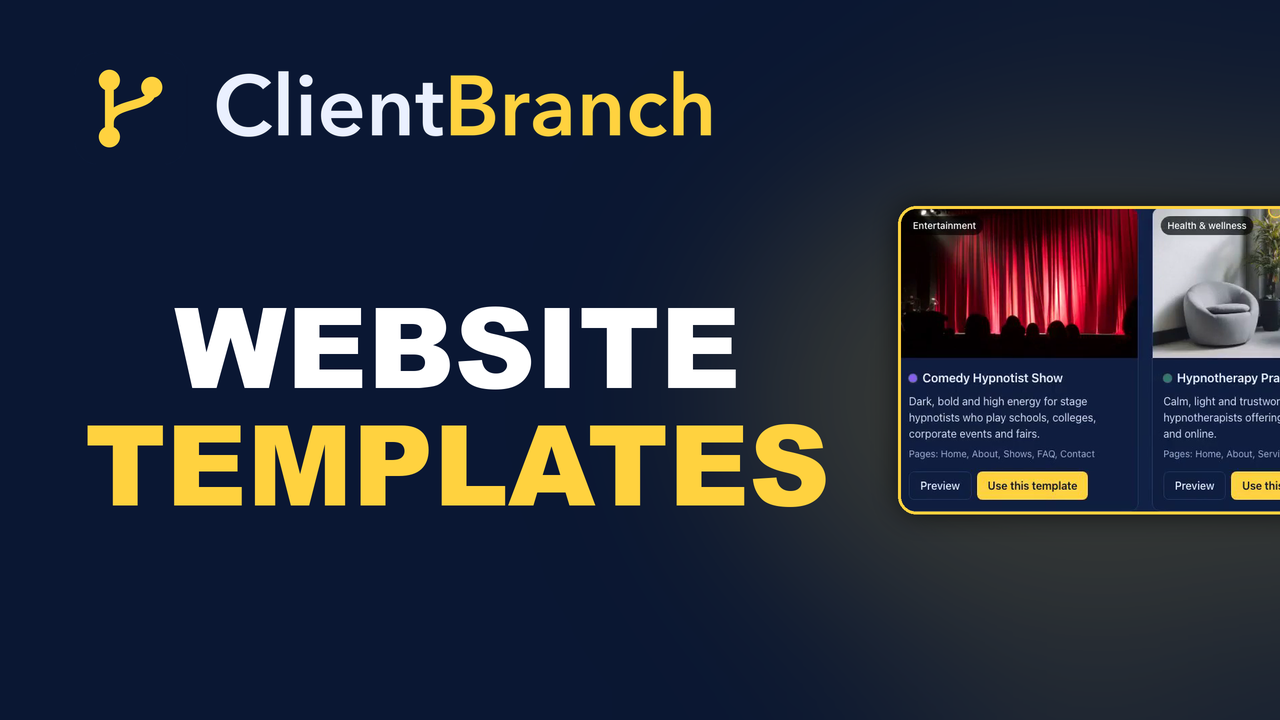
Open Sites, then Website Builder, and click Start from a template. The gallery shows seven complete websites. Each one comes with a Home, About, services and Contact page, and each has its own colors, fonts and layout, so your site will not look like everybody else's.
- Comedy Hypnotist Show is dark, bold and high energy, for stage hypnotists who play schools, colleges, corporate events and fairs.
- Hypnotherapy Practice is calm, light and trustworthy, for practitioners who see clients in person and online.
- Life and Business Coaching is clean and editorial, for coaches and consultants.
- Comedian and Live Entertainer is punchy and vibrant, for stand up comedians, emcees and corporate entertainers.
- Local Service Business is practical and trustworthy, for cleaning, landscaping, HVAC and the trades, with a big phone button up front.
- Online Coach and Course Creator is warm and modern, for anybody selling a signature course, group programs or a community.
- Boutique and Online Shop is minimal and elegant, for product brands, with collections, bestsellers and a shipping and returns page.
The copy in each one is written as if it were a real business. You will find placeholders like Your Name and Your City, so you can see exactly where your own details go.
Preview it before you decide
Every card has a Preview button. It opens the real template, not a screenshot, so you can scroll every section, click through the menu and see how each page is put together.
This matters more than it sounds. A thumbnail tells you the colors. A preview tells you whether the structure fits how you sell. A hypnotherapist who offers a free consultation call wants that call front and center. A tradesperson wants the phone number impossible to miss. Look around first, then choose.
Replace your site, or add the pages
When you click Use this template, you choose how it goes in.
Replace my website swaps your current pages for the template's pages. It is the right choice when you are starting fresh, or when your current site is a single placeholder page. You are asked to confirm first, because it deletes the pages you have now.
Add the pages to my website keeps everything you already have, including your Home page, and puts the template's pages next to them. Use it when you like your site but want a few well designed pages to build from.
Either way, a few things never change. Your site name, your logo, your footer, your web address and your custom domain all stay exactly as they were. When you replace your site, the accent color switches to the template's, and you can change it back under Branding in one click.
Everything arrives as a draft
Every page a template creates starts life as a draft. Nothing goes public until you press Publish on it.
That means you can take your time. Open each page with Edit, and it is a normal page in the builder. Change the words, swap the photos, restyle a section, reorder the sections, or add new ones. The preview updates as you type.
When a page says what you want it to say, publish it. Your website goes live the moment the Home page is published, on your free ClientBranch address, or on your own domain if you have connected one. The menu links every published page together, so visitors can find their way around.
Landing pages have templates too
A landing page is different from a website. It is one page with one job, and no menu to wander off through. It is where you send people from an ad, a post or an email when you want them to do one specific thing.
Open Sites, then Landing Pages, and click Start from a template. There are five, each built around a single action:
- Free consultation, to turn visitors into booked discovery calls.
- Free download, to give away a guide or checklist in exchange for an email address.
- Workshop or webinar, to fill a free online session.
- Sales page, to sell one program or offer, with three price options and a list of questions and answers.
- Event or show promo, to sell tickets or fill the seats for a live date.
Choose one and ClientBranch creates a new draft page and opens it straight in the editor, already written and designed. Every section is listed down the left. Open one to change its words, its photo, or where its button goes.
The one thing to do before you publish a landing page is point the main button somewhere real. Send it to your booking calendar, a form, a store product or a checkout link. Then publish, and share the address.
Which template should you pick?
Pick the one that matches how you sell, not just what you do. A few quick rules of thumb:
- If most of your work starts with a conversation, start with a template that puts a consultation or a call up front.
- If people buy from you on the spot, pick one with prices and a clear buy button, like the sales page or the shop.
- If you perform, lead with the show, the video and the date.
- If you are local, make sure your phone number and your service area are the first things a visitor sees.
Do not worry about picking the perfect one. Every section can be changed, moved or removed, so the template is a head start, not a cage.
Your first hour with a template
Here is a simple order of work that gets a template live in an afternoon:
- Put your business name, phone and email in every place you see a placeholder.
- Swap the hero photo on the Home page for a real photo of you, your team or your work.
- Rewrite the About page in your own words. It is the page people read to decide whether they trust you.
- Set your real services and prices.
- Point every main button at your booking calendar, a form or your store.
- Publish the Home page, then the rest.
The Website Builder is part of the Growth plan, and landing pages come with every plan.
Watch it done in under four minutes
The video at the top of this post walks through the whole thing on a real account: the website gallery, a preview, replacing a blank site with a template, publishing the pages and seeing the site live, and then building and publishing a landing page from a template.
If you are already on ClientBranch, open Sites and click Start from a template. If you are not, start a free trial and have a finished, professional website up before the weekend.
Try ClientBranch free for 15 days
Get booked, get paid, and keep clients coming back, all from one place. No card required, cancel anytime.
Start my 15-day free trial